
How to make your own question bank
A question bank is just a list of questions kept in one place so you can reuse, shuffle and review them. Excel is the easiest way to start: one row per question. Here's how to set one up and turn it into something you can practice on your phone.

 Coming soon
Build it in four steps
Set up the columns
Type, Question, Option A to D, Answer, Explanation, Chapter. Only Question is required. Download the template to save time.
Add questions as you study
Start with past papers and the questions you got wrong. Ten good questions beat a hundred you never use.
Use chapters and tags
A chapter column lets you practice one topic and see accuracy by topic later.
Import and practice
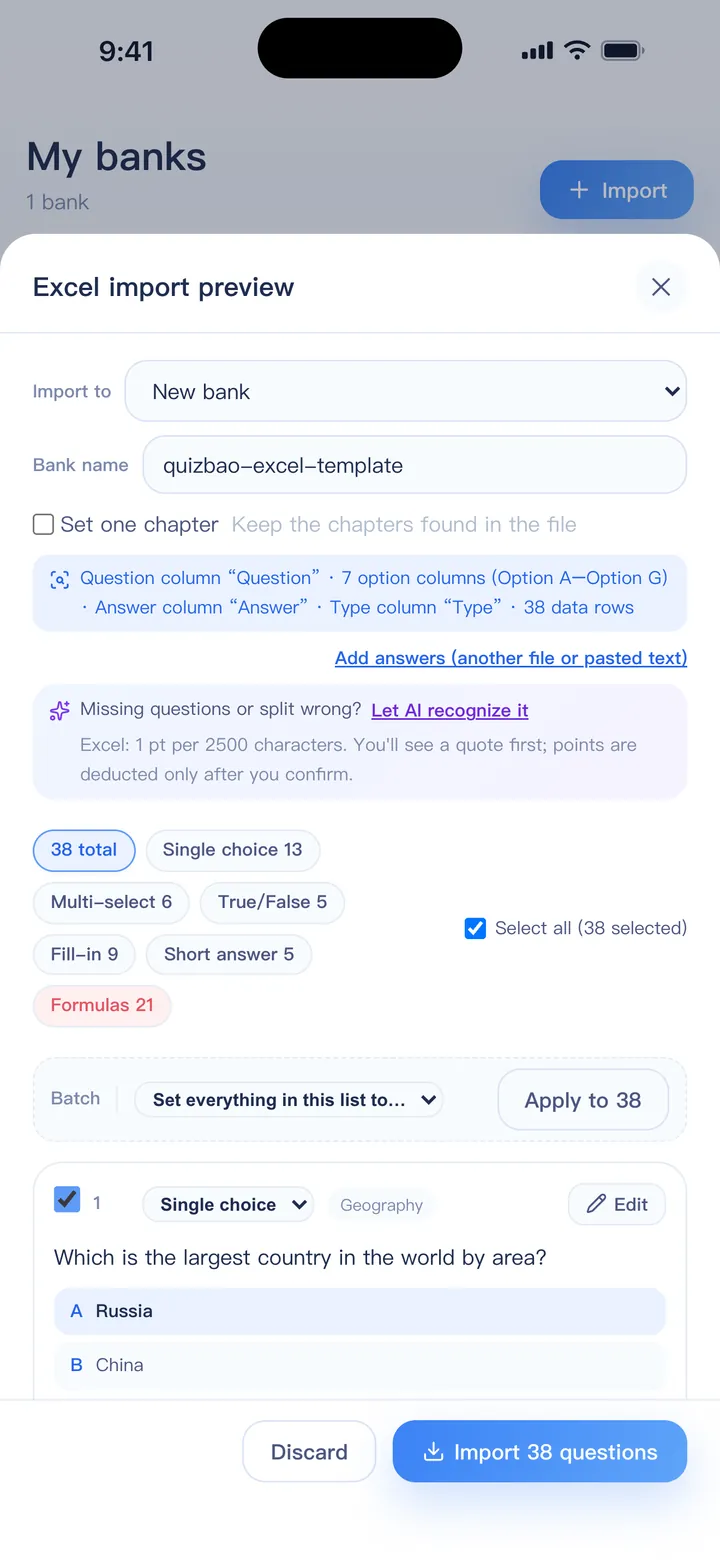
Open the file in QuizBao, check the preview and start. Update the file and import again to add new questions.
How to write each question type
- Single choice: answer is one letter, such as B
- Multi-select: all the letters, such as ACD or A,C,D
- True/false: True or False, leaving the option columns blank
- Fill-in: write the answer; separate several blanks with |
- Short answer: a model answer, plus optional key points to check yourself against
- Images and formulas: formulas as $…$, images through a ZIP package
Excel import is free for one bank of up to 100 questions. Banks are better kept to a few hundred questions each: one per subject or paper, grouped into a folder per exam.
FAQ
Can I make a question bank in Google Sheets?
Yes. Download it as .xlsx (File → Download → Microsoft Excel) or CSV and import that file.
How do I keep several banks organized?
Put banks for the same exam in a folder. You can practice a whole folder at once, and filter mistakes and statistics by folder.
Can I share my bank?
Yes. Send the Excel file, or export a share package with images. Others can import it into QuizBao.
I have nothing to start from. What now?
Use AI to write questions from your notes or a textbook chapter, then edit them.
Can it become a printed test?
Yes. Export a bank as a Word exam paper with sections and an answer key.
Bring your questions. Start practicing today.
Free to download for iPhone, iPad and Android.
Coming soon