
Features
QuizBao is a study app for the questions you already have. Here is everything it can do.
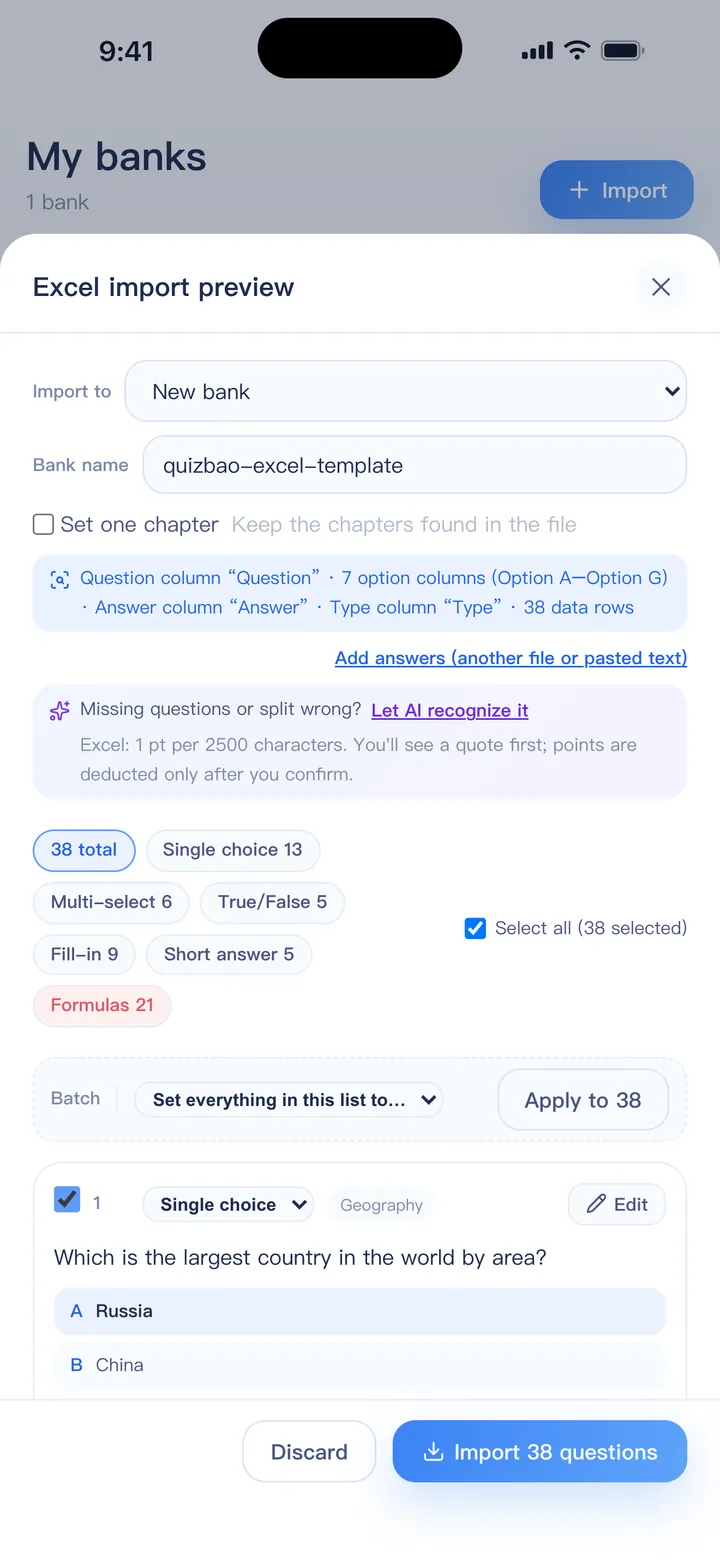
Import your questions
- One-tap Excel import that detects question types, options, answers and explanations
- Word (.docx / .doc), PDF with a text layer, plain text and JSON
- Paste questions copied from web pages, chats or PDFs
- ZIP packages: an Excel sheet plus an images folder
- Single choice, multi-select, true/false, fill-in and short answer, with images and math formulas
- A preview before every import, with questionable items flagged to fix or skip
- Open question files shared from other apps straight into QuizBao
- Edit, move, copy and merge questions any time; find and merge duplicates
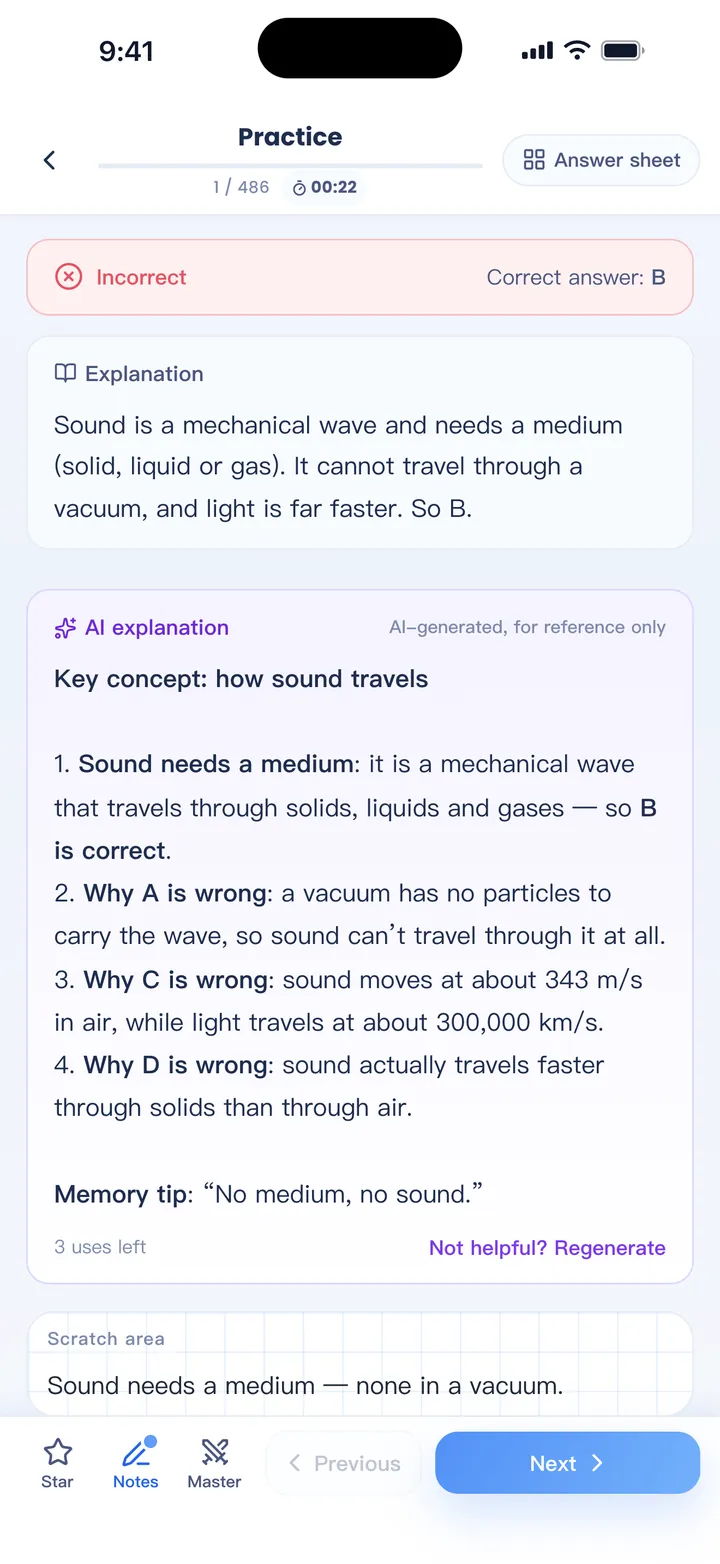
Practice your way
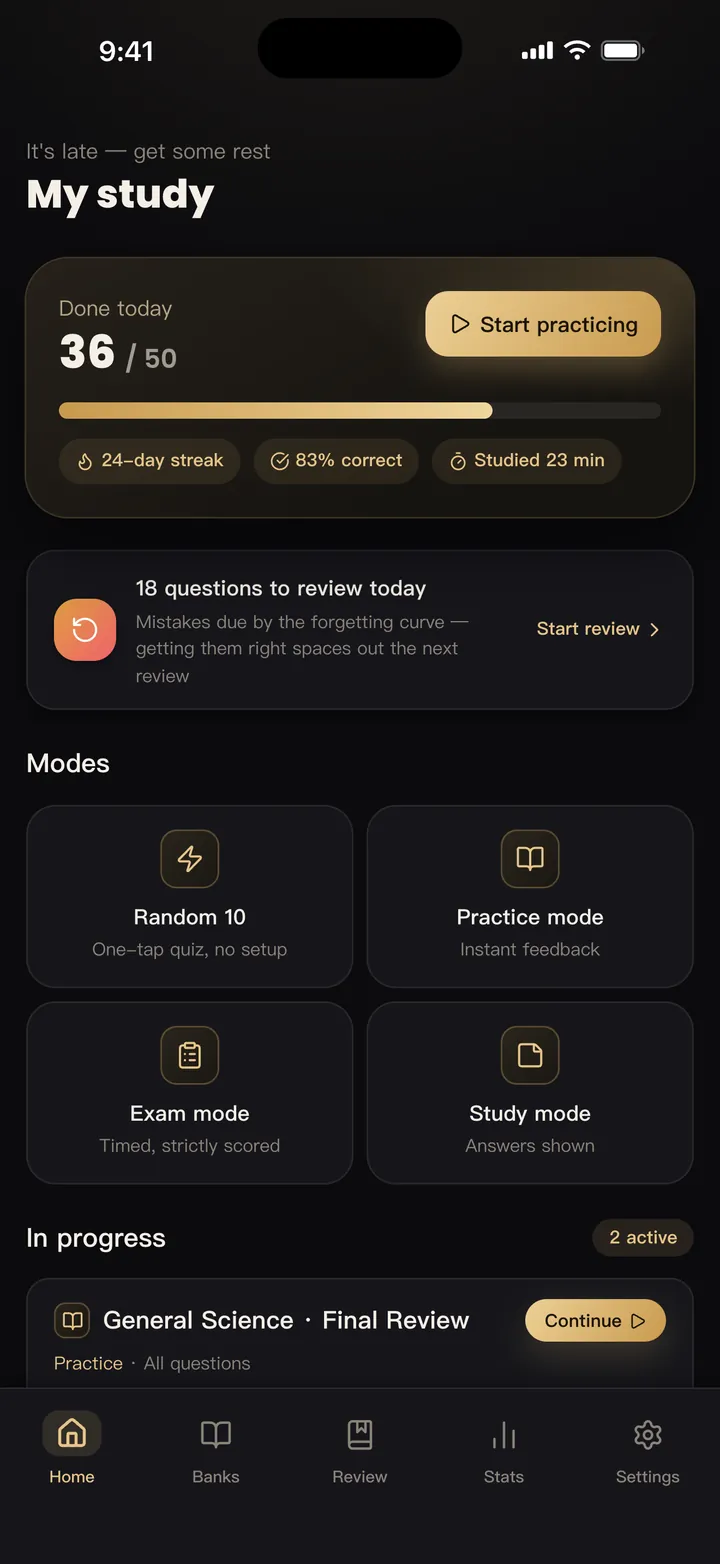
- Practice mode: in order, random or unseen first; shuffled options; instant feedback
- Study mode: answers and explanations shown for a fast review
- Mock exam: timed random papers, automatic scoring and a pass line
- Mastery mode: clear the questions you know so the set keeps shrinking
- A random 10-question quiz when you only have a minute
- Mix several banks in one session
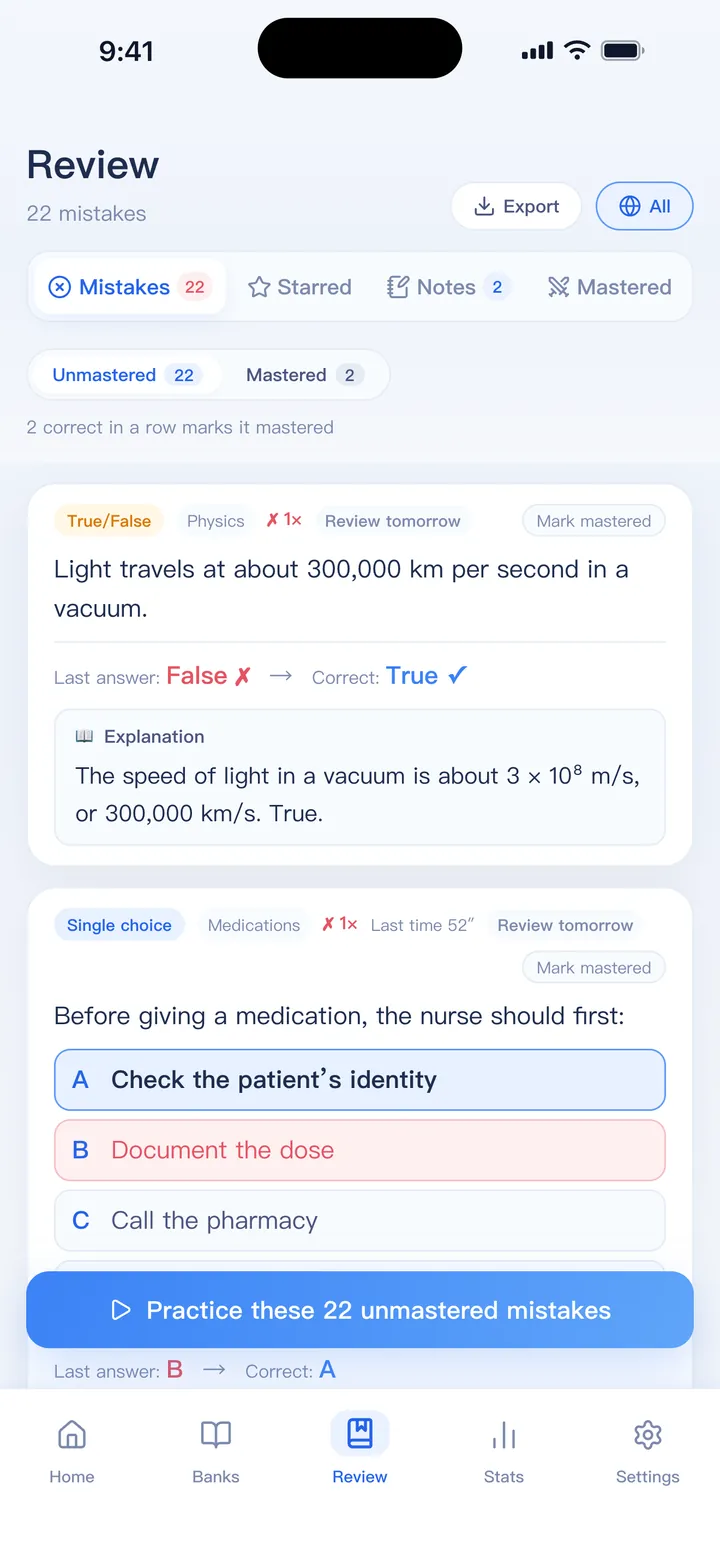
Review what you got wrong
- Wrong answers go to your mistake book automatically
- Get a question right a few times in a row and it is marked mastered
- Spaced review on the forgetting curve, with reminders
- Weak-spot analysis finds the chapters and question types with the lowest recent accuracy
- Favorites, typed notes and handwriting stay with each question
- Export mistakes, favorites and notes to Word (ready to print), ZIP or Excel
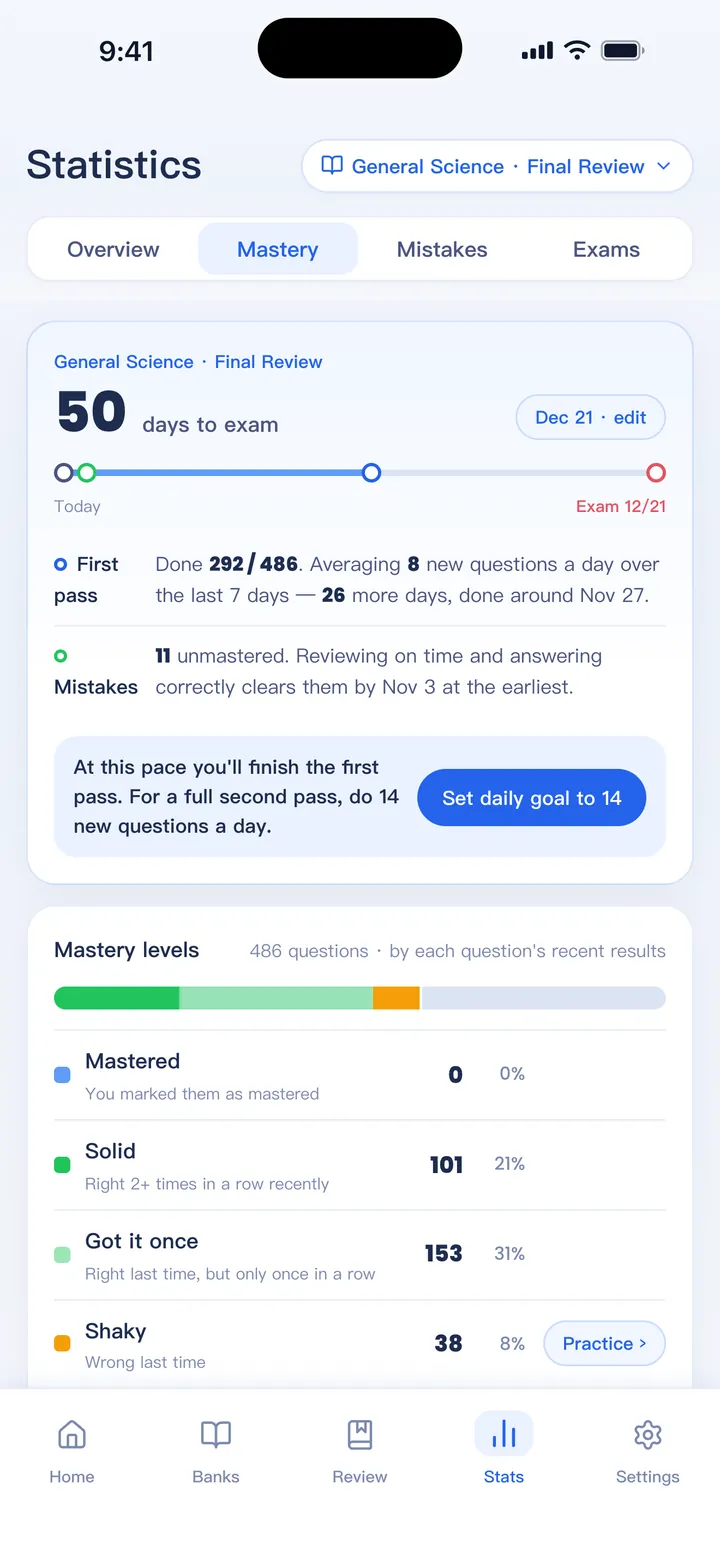
Track your progress
- Overview, mastery, mistakes and exam statistics, for one bank or all of them
- Accuracy trend, study time, a streak heatmap and your best study hours
- Set an exam date to get a daily target and a forecast
- Mock exam trends and where you lose points
- A weekly report you can share as an image
Optional AI tools
- AI Import: scanned PDFs, photos and messy Word or Excel files become a clean bank, even with answers printed at the back
- AI explanations: tap after answering to see the reasoning and key points
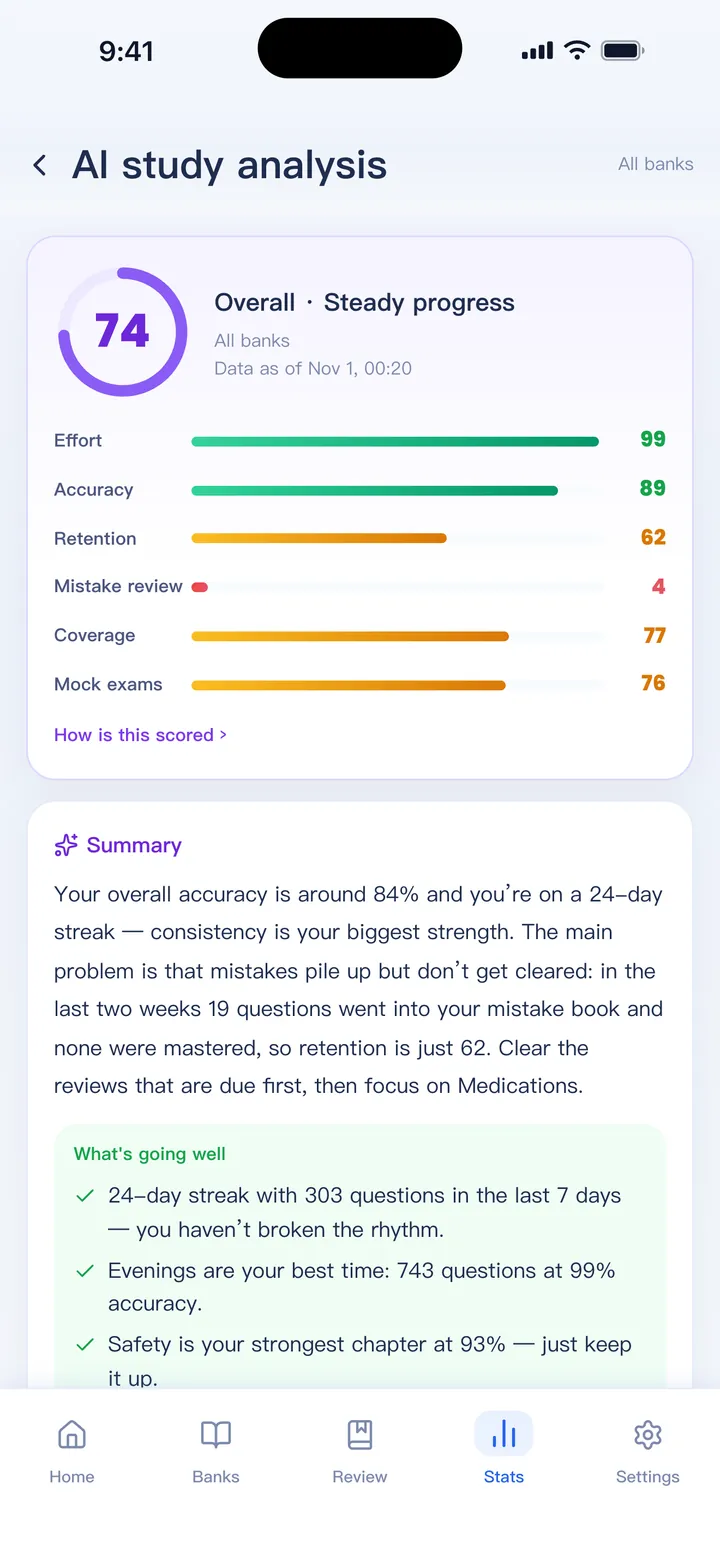
- AI study analysis: a report with diagnoses, chapter advice and a 7-day plan; only statistics and bank or chapter names are sent
- AI answer filling: questions without answers are solved by two different AI models and filled in only when they agree
- Questions from your material: notes or textbooks become questions with answers, explanations and sources
- You see the price before you start; points never expire and work with or without the full version
And the small things
- Six themes, including dark ones
- Long passages shown side by side with their questions on iPad
- Exam countdown on the home screen
- Custom fonts
- Face ID / Touch ID lock on iPhone and iPad
- Export banks as Word exam papers, with answers at the end
- Interface in English, 繁體中文 and 简体中文
Bring your questions. Start practicing today.
Free to download for iPhone, iPad and Android.

 Coming soon