
Turn an Excel spreadsheet into a quiz you can practice anywhere
Keep your questions in a spreadsheet? QuizBao turns every row into a question — options, answer and explanation included — so you can practice, take mock exams and review mistakes on your iPhone, iPad or Android phone.

 Coming soon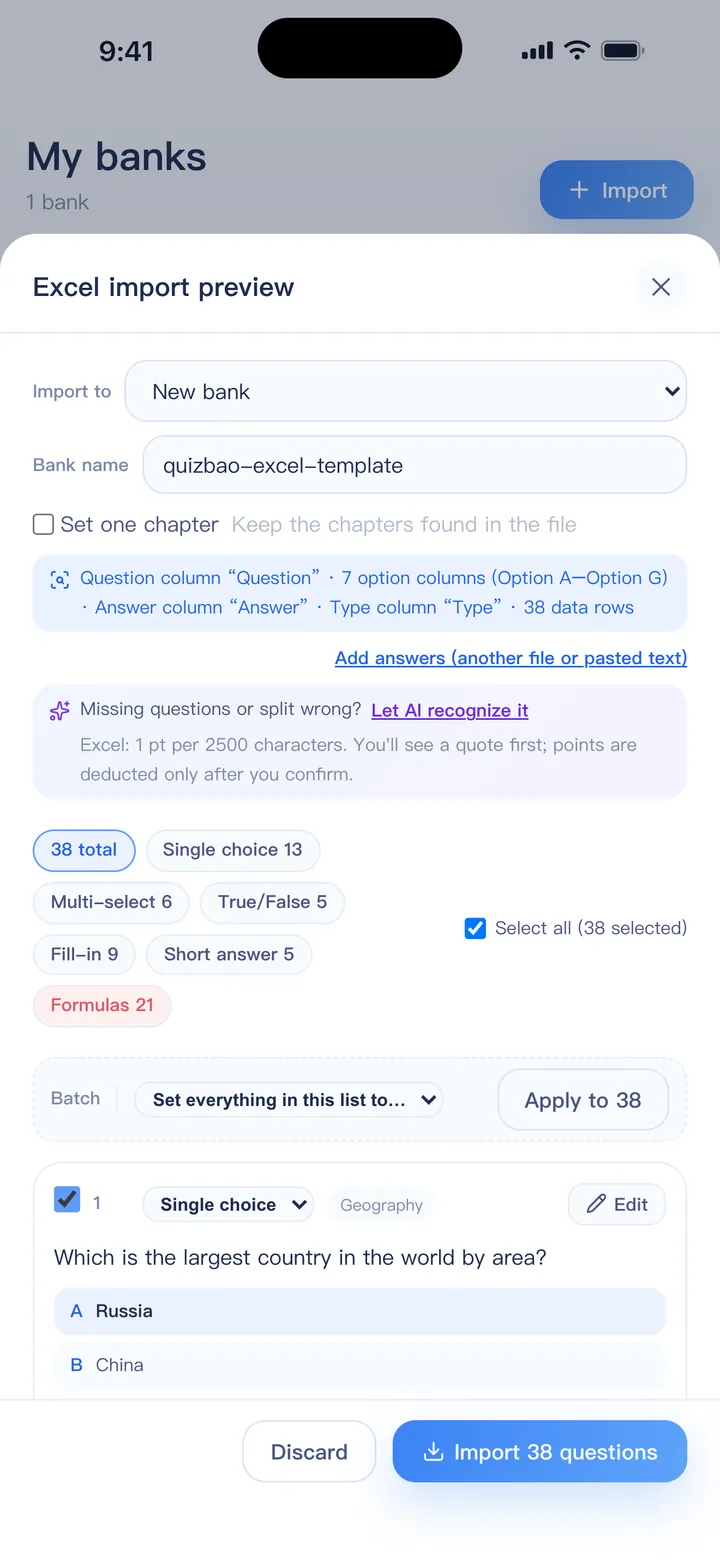
From spreadsheet to quiz in four steps
One question per row
Columns for the question, options A–D (up to G), answer and explanation. Headers in English or Chinese both work — or start from the template.
Open it in QuizBao
Choose Import → Excel bank, or open the file from Files, email or a chat app. You can pick several files at once.
Check the preview
See how many questions of each type were found. Anything unclear is highlighted to fix or skip before importing.
Practice
Practice mode, timed mock exams, the mistake book and spaced review are ready straight away.
What QuizBao understands in a spreadsheet
- Question types worked out from the options and answer — no type column needed
- Answers as letters (B, ACD or A,B,D), as the option text, or as True/False
- Fill-in answers separated by |, and reference answers for short-answer questions
- Several sheets in one workbook; a sheet named after a chapter becomes the chapter
- Options typed inside the question cell, split automatically
- Merged cells for questions that share a passage or case
- Pictures through a ZIP file with [img:file.png] references (full version)
Excel import is included in the free version, for one bank of up to 100 questions.
FAQ
Do I have to use your template?
No. Any layout with a header row works, as long as one column holds the question. The template just saves time.
My answers are written out as text, not letters. Will that work?
Yes. If the answer matches the text of an option, it is converted to that option's letter.
Can I import from Google Sheets or Numbers?
Download or export the sheet as .xlsx first (in Google Sheets: File → Download → Microsoft Excel), then import that file.
Is there a limit on questions?
The free version holds one bank of up to 100 questions. The full version has no limit on banks or questions.
Bring your questions. Start practicing today.
Free to download for iPhone, iPad and Android.
Coming soon