
Import guide: Excel, Word, PDF and text
QuizBao reads the question files you already have. This guide shows which format to use, how to lay out a file so everything is recognized, and what to do when it isn't.
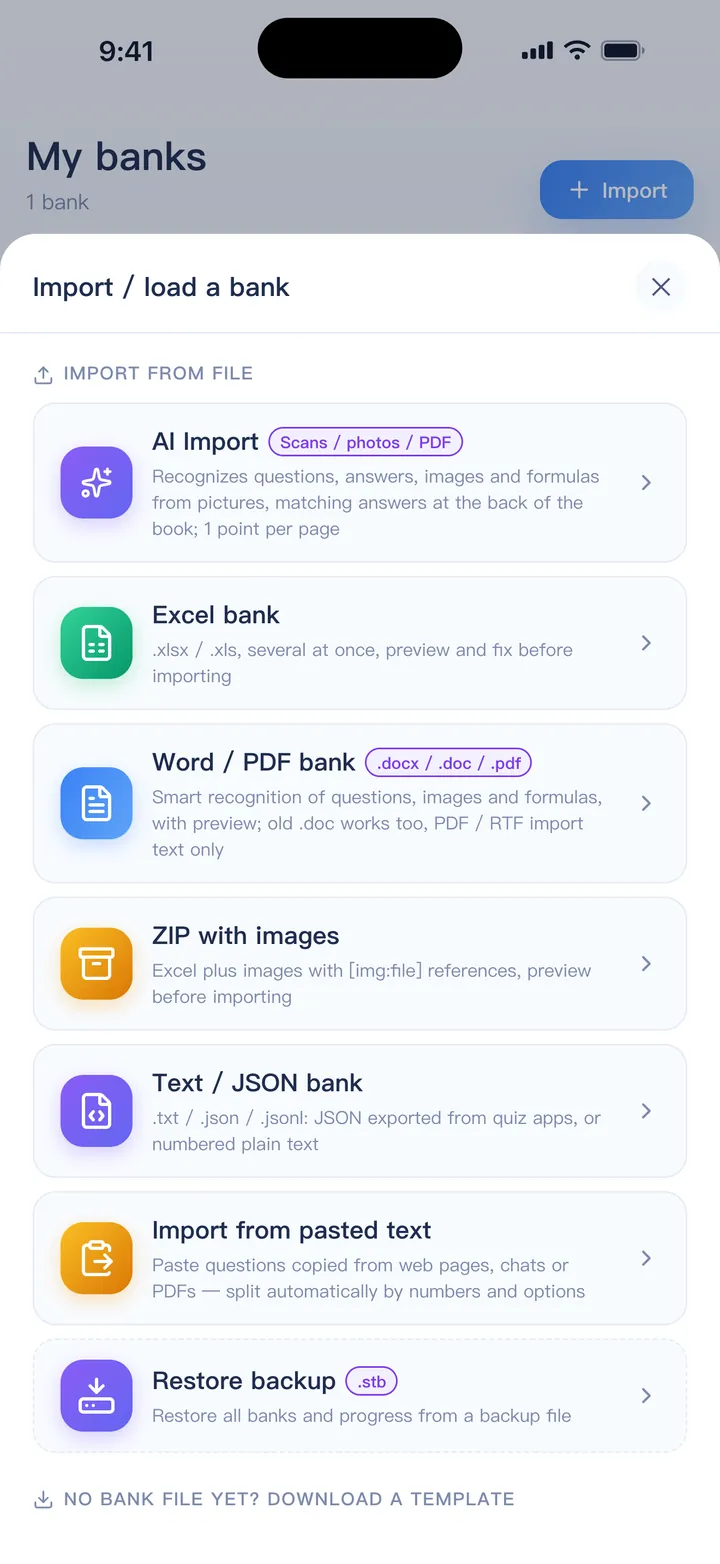
Pick a format
| You have | Use | Version |
|---|---|---|
| A spreadsheet, or questions you can arrange in one | Excel (.xlsx / .xls) | Free |
| Questions on a web page, in a chat or in a PDF you can copy from | Import from pasted text | Free |
| Numbered plain text, or JSON from another quiz app | Text / JSON (.txt / .json) | Free |
| An exam paper or handout in Word, or a PDF with selectable text | Word / PDF | Full |
| Questions with pictures, charts or diagrams | ZIP with images | Full |
| Scans, photos, or a file the other methods can't read | AI Import | Points |
Every method opens a preview first. Nothing is saved until you tap Import.
Start from a template
Each template already contains sample questions. Delete them, fill in yours in the same format and import the file. These are the same templates the app offers under Import.
Excel template
One question per row: question, type, options, answer and explanation in their own columns.
Download · XLSXWord template
Written like an exam paper, including two ways to write passage-based questions.
Download · DOCXZIP template with images
An Excel sheet plus an images folder, referenced with [img:file.png].
Download · ZIPExcel: one question per row
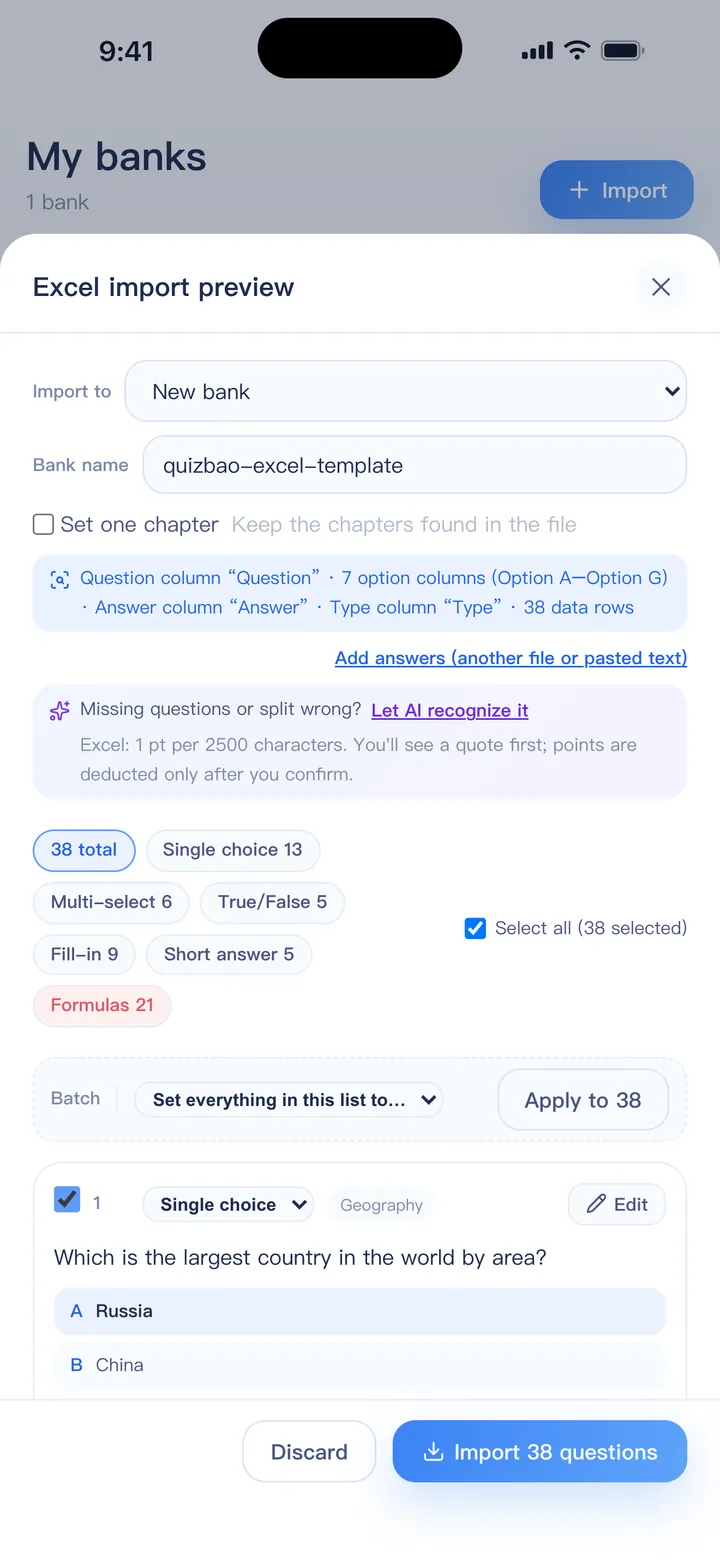
The first row is the header. Only the question column is required; everything else is optional. Headers can be in English or Chinese.
| Question | Type | A | B | C | D | Answer | Explanation | Chapter |
|---|---|---|---|---|---|---|---|---|
| What is the capital of Australia? | Single | Sydney | Canberra | Melbourne | Perth | B | Canberra was chosen as a compromise between Sydney and Melbourne. | Geography |
| Which of these are mammals? | Multi-select | Dolphin | Shark | Bat | Penguin | AC | Dolphins and bats are mammals. | Biology |
| Light travels faster than sound. | True/False | True | Physics | |||||
| Water is made of hydrogen and ____. | Fill | oxygen | H₂O | Chemistry |
- Columns: Question, Type, options A–G (or Option 1–7), Answer, Explanation, Chapter, Tags. Put them in any order.
- Type is optional. QuizBao works it out from the options and the answer. If you do fill it in, use Single, Multi-select, True/False, Fill or Short answer. Note that “Multiple choice” and “MCQ” are read as single choice — write Multi-select when a question has several correct answers.
- Answers: a letter for single choice (B); several letters for multi-select (ABD or A,B,D); True/False, T/F or A/B for true/false. Writing the option text (“Canberra”) also works — it is turned into the letter.
- Fill-in: set Type to Fill and mark each blank with ____. Put the answers in the Answer column separated by |, or blank 1 in column A, blank 2 in column B, and so on.
- Short answer: put the reference answer in the Answer column; leave the options empty.
- Several sheets are all read. A sheet named after a type (Single, Multi-select, True-False) sets the type; any other name becomes the chapter.
- Options typed inside the question cell (“…? A. x B. y C. z”) are split automatically. No answer column? Put √ in the correct option's cell.
Word and text: write it like an exam paper
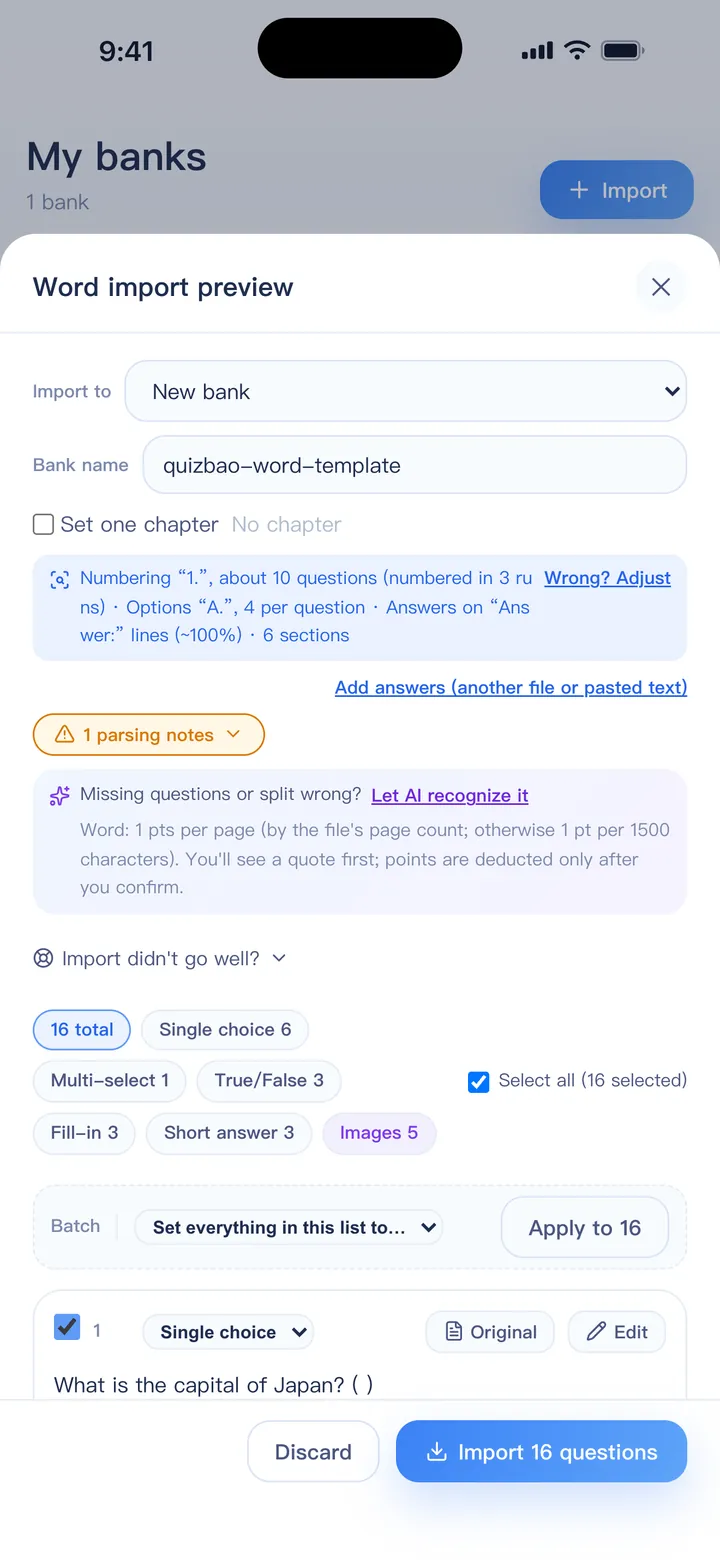
Most Word banks import as they are. If yours doesn't, this layout is always recognized:
Part I. Single choice
1. Which planet is known as the Red Planet?
A. Venus
B. Mars
C. Jupiter
D. Saturn
Answer: B
Explanation: Iron oxide on its surface makes Mars look red.

2. The chemical symbol for gold is ____.
Answer: Au

Part II. True or false
3. The Pacific is the largest ocean on Earth. (True)
- Numbering: 1. / (1) / Q1 and Word's automatic numbering are all fine. Section titles such as “Part II. True or false” set the type for the questions below.
- Options can be one per line, several on one line, in a table, or marked with ★ or √ for the correct one.
- Answers can be on an “Answer:” line, in brackets in the question, on a line after the options, or all at the end like “1-5 BCADB”. Bold, red or hidden answer text is recognized too.
- Answers in a separate file? Select both files together; the answer file is matched to the questions by number.
- Images go to the question, options or explanation by position, and Word equations become formulas. Old .doc files work; Equation Editor objects and WMF images can't be shown, so save those documents as .docx first.
Paste text from anywhere
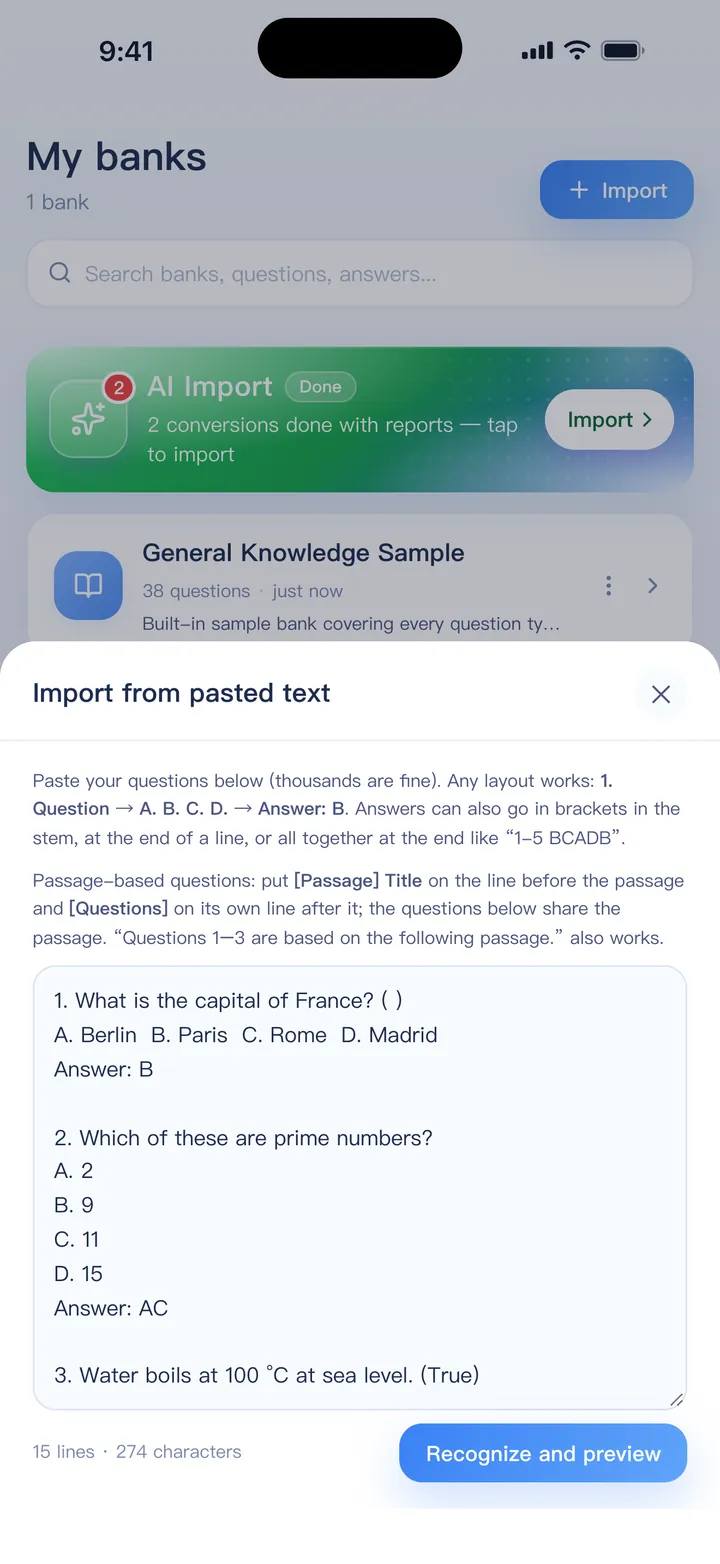
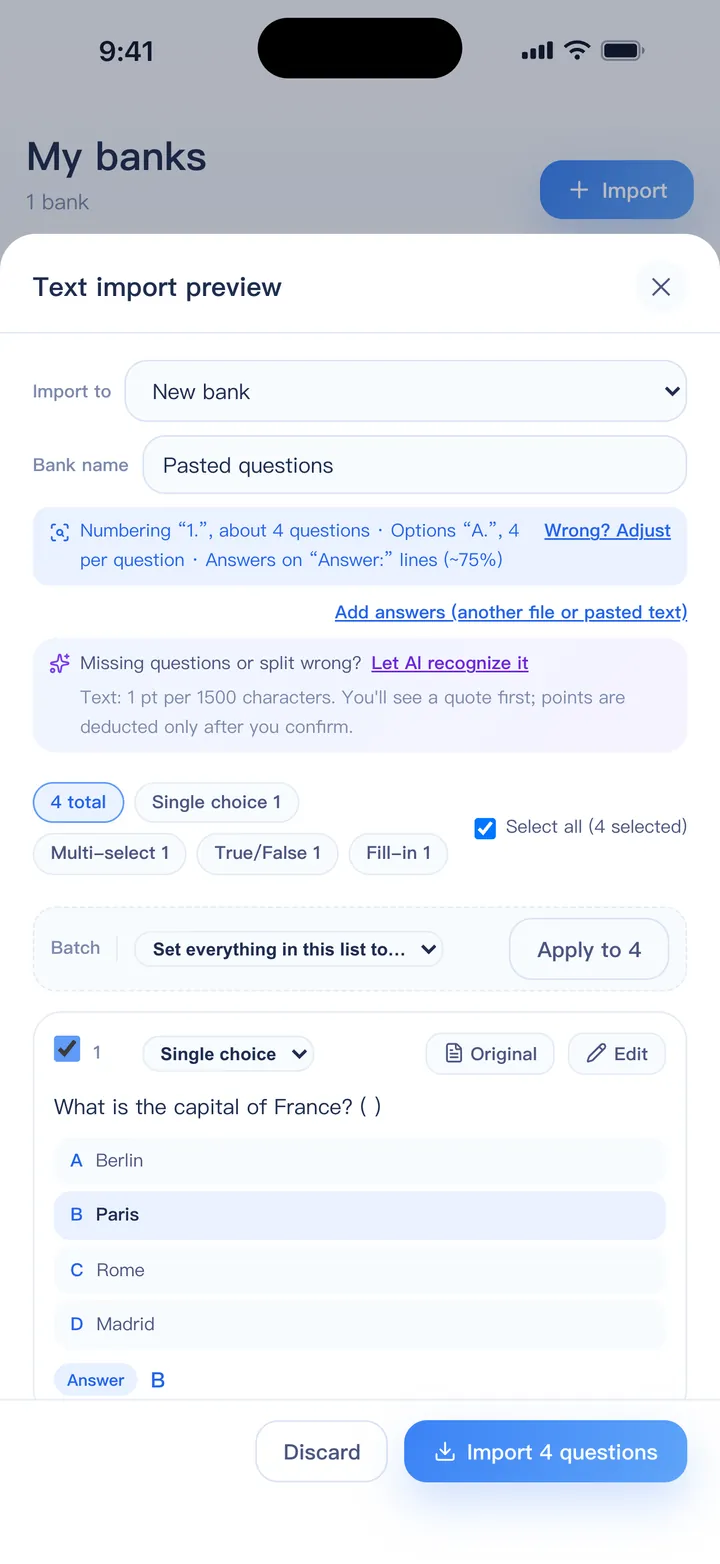
Copied questions from a website, a chat or a PDF? Choose Import from pasted text and paste them in — thousands at a time is fine. The same rules as Word apply, and answers at the end of a line or in brackets are recognized.
PDFs and scanned pages
A PDF with selectable text imports like a Word file: columns, headers and footers are handled, and the text is read in order. Images inside a PDF are not imported.
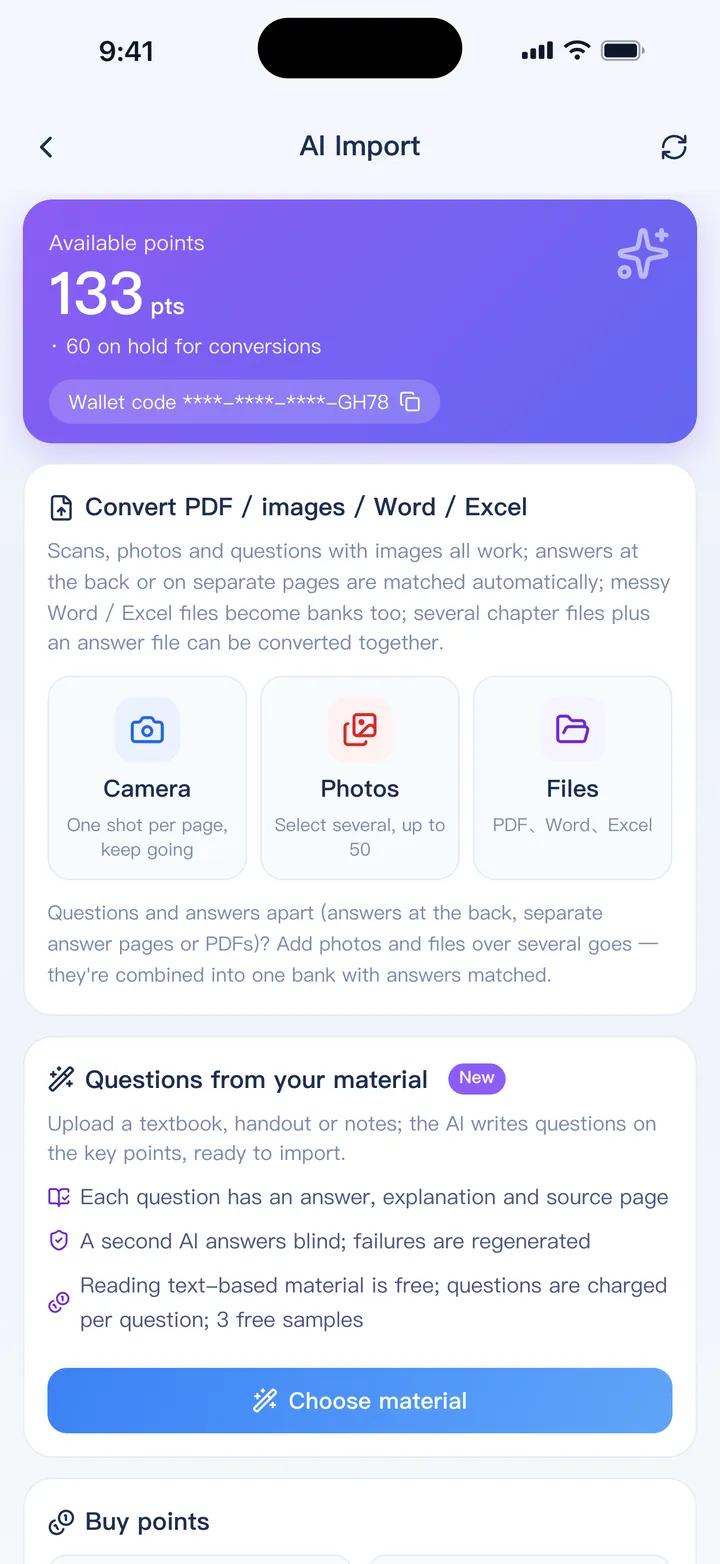
Scanned PDFs, photos of a book and screenshots have no text to read. Use AI Import for those: it recognizes questions, answers, images and formulas — even answers printed at the back of the book. You get a quote in points before it starts, and pages with no questions or that fail are refunded automatically.
Questions with images (ZIP)
Put the Excel file and an images folder into one ZIP. In any cell, write [img:chart.png] where the picture should appear. Adding or removing rows never breaks the links, and one image can be used by several questions.
jpg, png, gif, webp, svg and bmp are supported. Missing or unused images are pointed out in the preview.
Shared passages: reading, cases and data
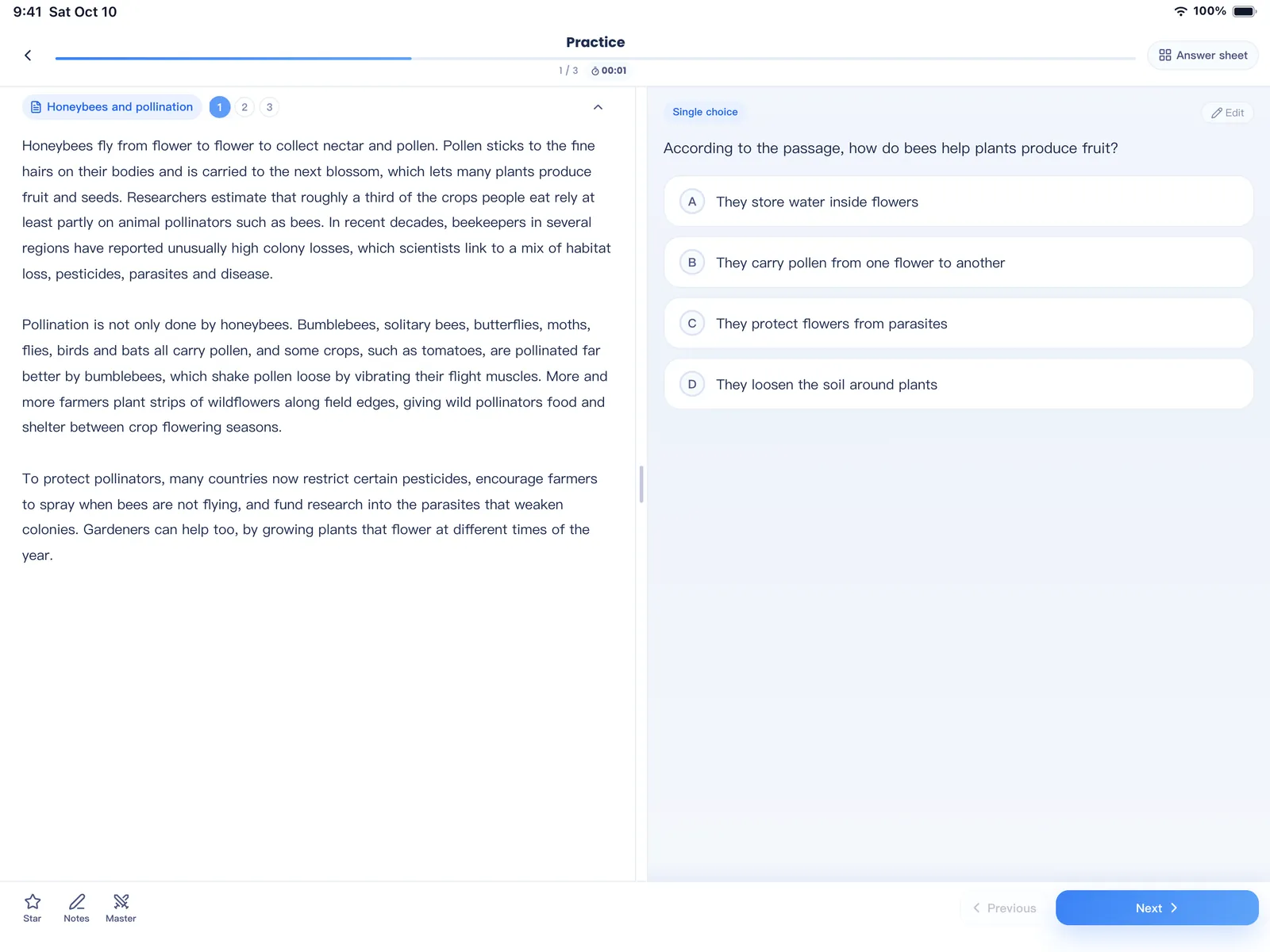
When several questions are based on one passage, case or table, store the passage once. On iPad a long passage is shown beside the questions; on a phone, or when it is short, it stays at the top.
- Excel: add a Material (or Passage) column and put the passage there. For the rows that share it, merge the cells or repeat the same text.
- Word or pasted text: put
[Passage] Titleon the line before the passage and[Questions]on its own line after it. The questions below share the passage. “Questions 1–3 are based on the following passage.” works too.
If something looks wrong
- In the preview, tap Edit on a question to fix it, or untick it to leave it out.
- Tap Original on a question to compare it with the source text and re-split questions that were stuck together.
- Use the batch tools at the top: turn “single choice with several letters” into multi-select, or set one type for all filtered questions.
- Still not right? Try AI Import, or send us the file — import problems are the reports we fix fastest.