
Convert a Word document into a practice test
Past papers, handouts and question lists in Word usually import as they are. QuizBao finds the numbering, options and answers — even bold, red or end-of-document answers — and turns them into a bank you can practice.

 Coming soon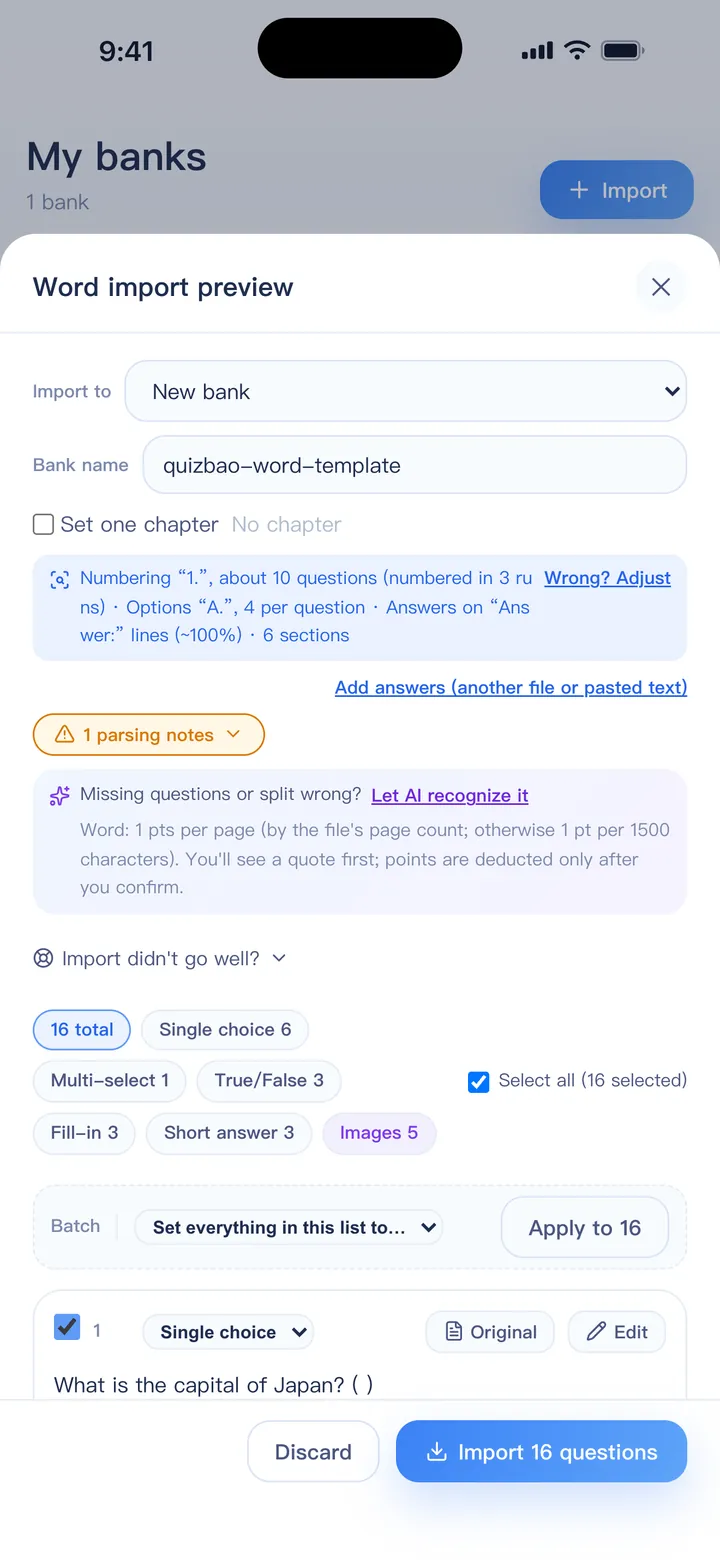
How it works
Choose the document
Import → Word / PDF bank, or share the file to QuizBao from Files, email or a chat app. Old .doc files work too.
QuizBao reads the layout
It works out how questions are numbered, how options are laid out and how answers are marked, and tells you at the top of the preview.
Fix anything odd
Edit a question, re-split questions that ran together, or apply a batch fix — all before anything is saved.
Start practicing
Practice, study, take mock exams and review mistakes.
What gets recognized
- Numbering such as 1. / (1) / Q1, and Word's automatic numbering
- Section titles like “Part II. True or false” that set the question type
- Options one per line, several per line, in tables, or marked with ★ or √
- Answers on an “Answer:” line, in brackets, after the options, at the end (1-5 BCADB), or as bold, red or hidden text
- Answers kept in a separate file, matched by question number
- Images placed with the right question or option, and Word equations shown as formulas
- Passage-based questions marked with [Passage] … [Questions]
Word import is part of the full version — try it with the free 1-day trial.
FAQ
My document has no answers. Can I still import it?
Yes. Questions without answers are flagged. You can add an answer file later, paste something like “1-5 BCADB”, or let AI answer filling solve them (uses points).
Does it work with Google Docs or Pages?
Download the document as .docx (in Google Docs: File → Download → Microsoft Word) and import that file.
Some equations don't show up. Why?
Objects from the old Equation Editor and WMF images can't be displayed. Open the document in Word, save it as .docx and import it again.
Bring your questions. Start practicing today.
Free to download for iPhone, iPad and Android.
Coming soon