
Turn past papers into a practice bank, answer key included
Past papers often come as two files: the questions and a separate answer key. QuizBao imports both together and matches the answers by question number, so you can practice the paper, sit it again as a timed mock exam and keep working on the questions you missed.

 Coming soon
How it works
Collect the papers
Word (.docx or .doc) or PDFs whose text you can select. Scans and photos go through AI Import instead.
Import questions and answers together
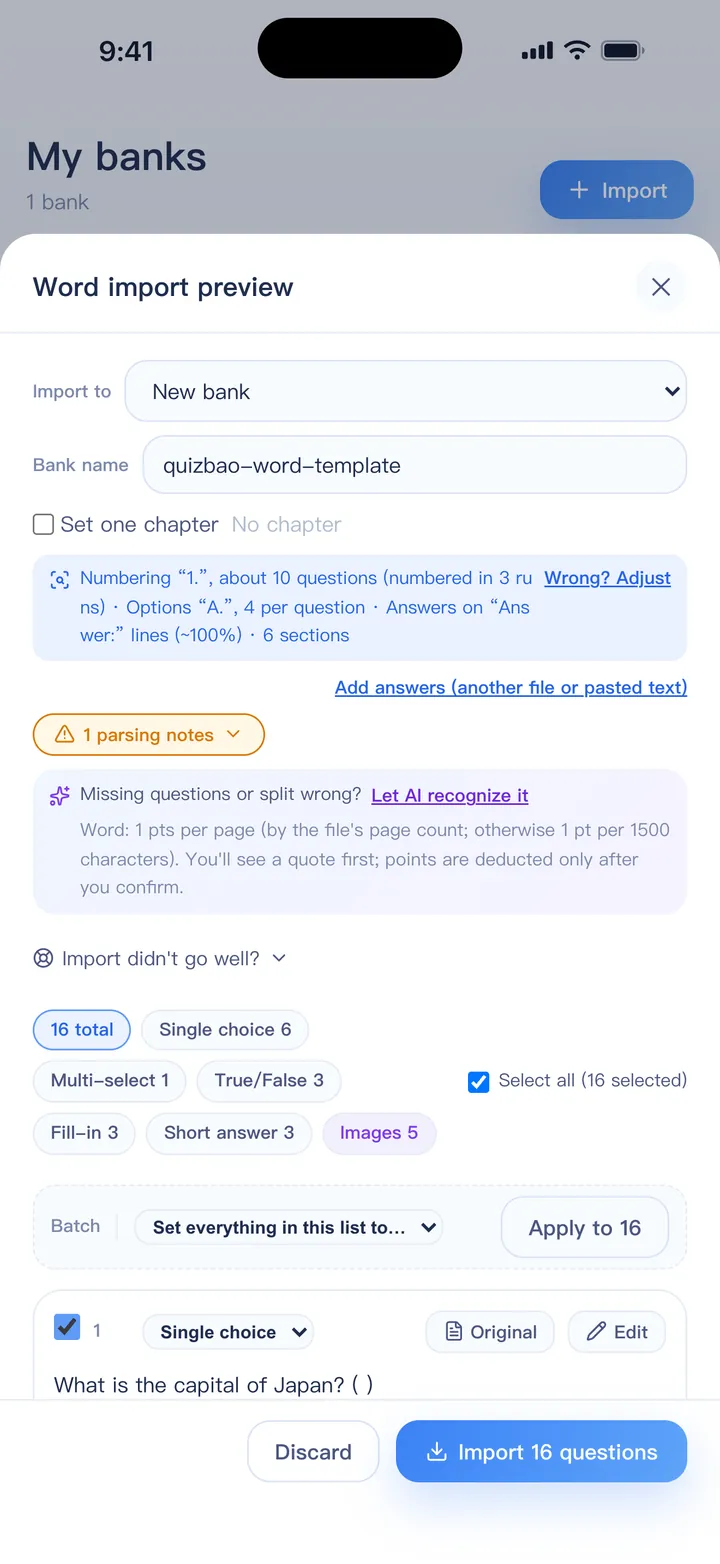
Pick the question file and the answer file in one go. Answer files are matched to question files by name and question number.
Check the match
The preview shows what was recognized; questions still missing an answer are flagged. You can also paste an answer string such as “1-5 BCADB”.
Practice, then sit it again
Practice in order or at random, take it as a timed mock exam, and review your mistakes.
Good sources of past papers
Often available
- Papers an exam body publishes for practice
- Papers and answer keys from your school or course
- Question sets your teacher or trainer hands out
Before you import
- Check you have the right to use the material
- Keep the question file and its answer key together
- Scanned papers? Use AI Import, which also matches answers on separate pages
Try it free: the 1-day trial includes Word and PDF import.
Answer formats QuizBao understands
- A separate answer file (Word, PDF or text), matched by question number
- An answer section at the end, including compact runs like 1-5 BCADB
- Answer tables
- Answers on an “Answer:” line, in brackets after the question, or marked in bold, red or hidden text
- Section headings such as “Part II. True or false” that set the question type
- Questions left without an answer are flagged, so you can add a key or let AI answer filling solve them
Word and PDF import are part of the full version. AI Import for scans uses points and also works on the free version.
FAQ
My answer key is a separate PDF. Does that work?
Yes, if you can select the text in it. Import it together with the question file. If it's a scan, use AI Import, which matches answers on separate pages or files.
Some questions came out without answers. What now?
They are flagged in the preview. Add the answers by hand, paste an answer string like “1-5 BCADB”, or let AI answer filling solve them (uses points).
Can I time myself on a past paper?
Yes. After importing, start Exam mode with the paper's number of questions and time limit. It's scored by points with a pass line.
Bring your questions. Start practicing today.
Free to download for iPhone, iPad and Android.
Coming soon