
A multiple choice test maker for your own questions
Write questions in a spreadsheet or bring a document you already have. QuizBao turns them into a test you can take on your phone with shuffled questions and automatic scoring, or into a printable Word paper with the answer key on its own page.

 Coming soon
Make a test in four steps
Add your questions
Import Excel, Word, PDF or pasted text, write them one by one in the app, or have AI write them from your notes.
Set up the test
Choose how many questions, how many of each type, a time limit, point values and a pass mark.
Shuffle
Randomize question order and option order so nobody, including you, memorizes positions.
Take it or print it
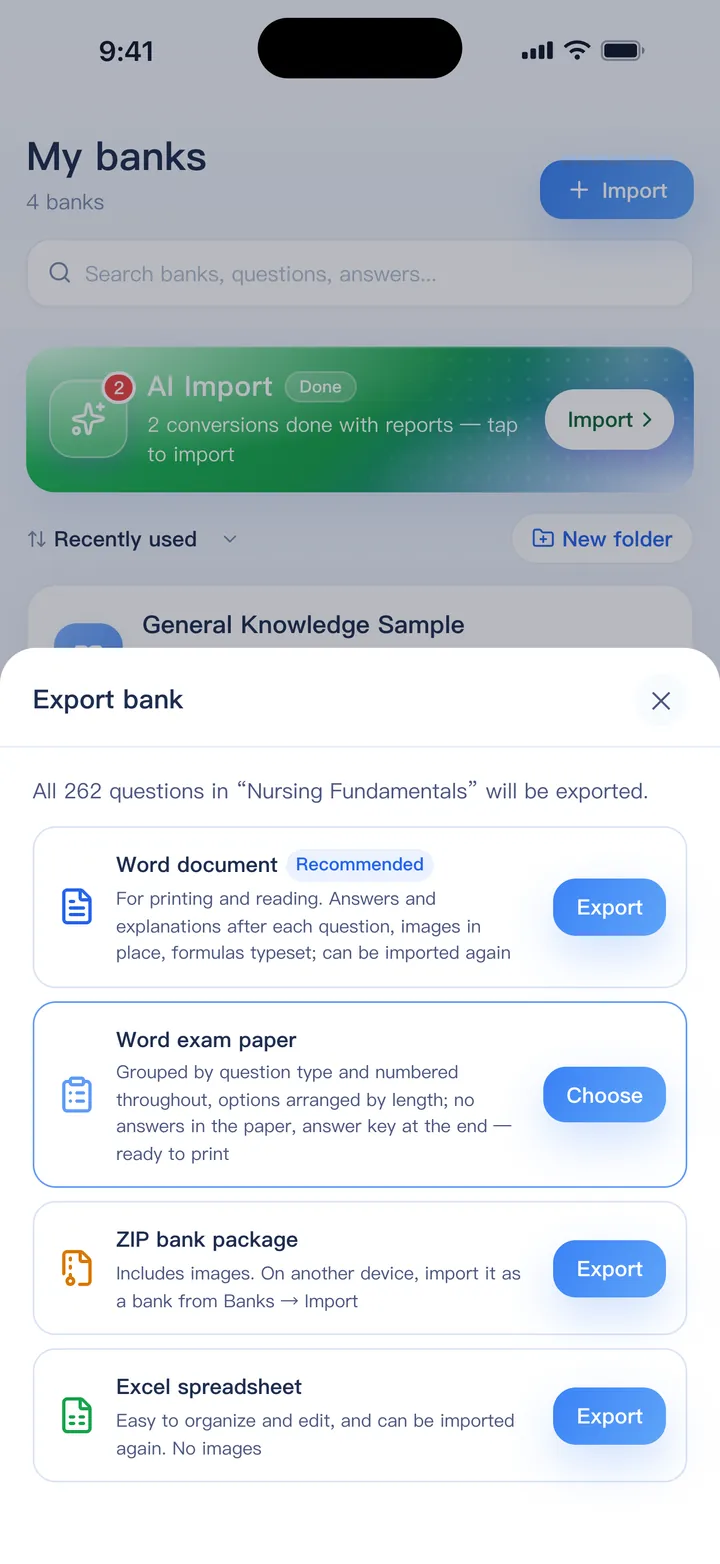
Sit it on screen and get a score, or export a Word paper with sections and an answer key.
What makes a good test easy here
- Single-answer and multi-select questions, with partial credit for multi-select
- Up to 20 options per question, for matching-style items
- Images and math formulas in questions and options
- Random sampling from one bank, or several banks mixed
- Printable Word tests: sections by question type, continuous numbering and tidy option layout
- Choose an answer key with explanations, answers only, or no answers
- Results show score, pass or fail, time per question and where points were lost
Excel and paste import plus practice mode are free for one bank of up to 100 questions. Mock exams and the Word exam paper are in the full version, which is a one-time purchase.
FAQ
Can I print the test?
Yes. Export a Word exam paper from the bank menu. It opens in Word, Pages or Google Docs, and you can edit it before printing.
Can I give it to a class and collect results?
QuizBao has no class roster or result collection. You can print the test, or share the bank file so students practice on their own. See the guide for teachers.
Can AI write the questions?
Yes. Upload notes or a textbook chapter and AI writes questions with answers and explanations. It uses points; three samples are free.
Do I need an internet connection?
No. Everything except AI features works offline.
Bring your questions. Start practicing today.
Free to download for iPhone, iPad and Android.
Coming soon