
Practice on iPad, with Apple Pencil on the question
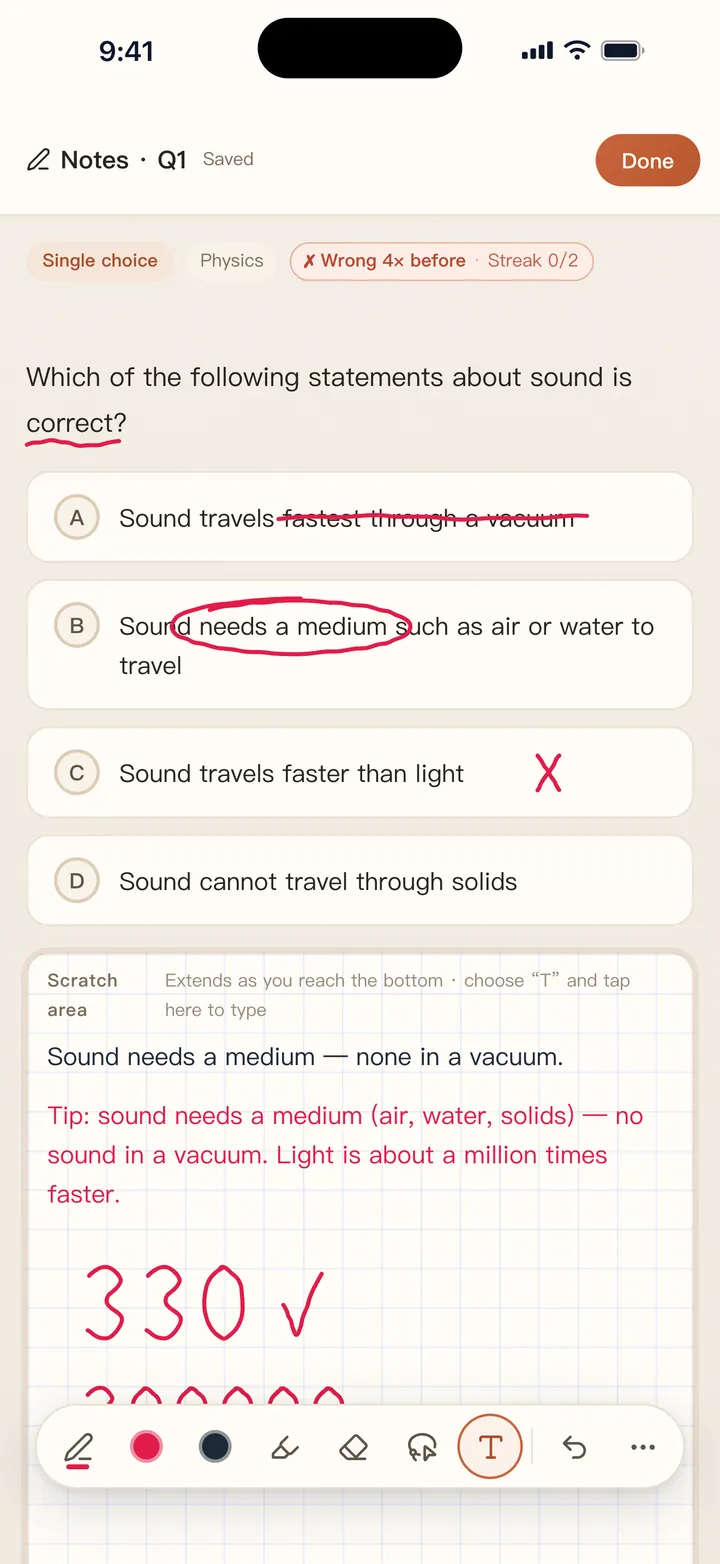
Most quiz apps won't let you write. QuizBao lets you mark up a question the way you would on paper: underline key words, cross out options and work out sums on scratch paper below, all saved with that question.

 Coming soon
How it works
Tap Notes on any question
Pen, highlighter, eraser, three colors and undo. Apple Pencil pressure is supported.
Mark up the question
Your ink stays attached to the question when you come back, even on a different screen size.
Use the scratch pad
Grid paper under each question grows as you write. In exams it's blank, and you can save drafts for wrong answers.
Review it later
Open any noted question to see your handwriting, and continue on your iPad or iPhone.
Why a big screen helps
- Passages and case studies side by side with the questions in landscape
- A lasso to move, resize or delete handwriting
- Pinch to zoom on notes and scratch paper for small writing
- Insert pictures into notes and write on them
- Sidebar layout and bulk editing of questions
- Works with your finger too, if you don't have a Pencil
Handwritten notes are included in the free version. iPad, iPhone and Android share the same bank and backup files.
FAQ
Do I need an Apple Pencil?
No. Your finger works, and you can type notes as well. A Pencil just gives you pressure and much neater writing.
Do notes sync to my iPhone?
There's no live sync, but a backup file carries them over, and merging keeps writing from both devices. On a phone, notes written on iPad appear in their original layout.
Does it work on older iPads?
Yes, including models like the iPad 9. Check the App Store listing for the current system requirement.
Can I use it with an Android tablet?
Android support is on the way through Google Play. Handwriting works with a finger or stylus there too.
Bring your questions. Start practicing today.
Free to download for iPhone, iPad and Android.
Coming soon