
Photo to quiz: turn paper into questions you can practice
Old exam papers, worksheets, textbook exercises: if it's on paper, take a picture. AI reads the questions, options and answers, crops the figures, and gives you a bank you can check and practice.

 Coming soon
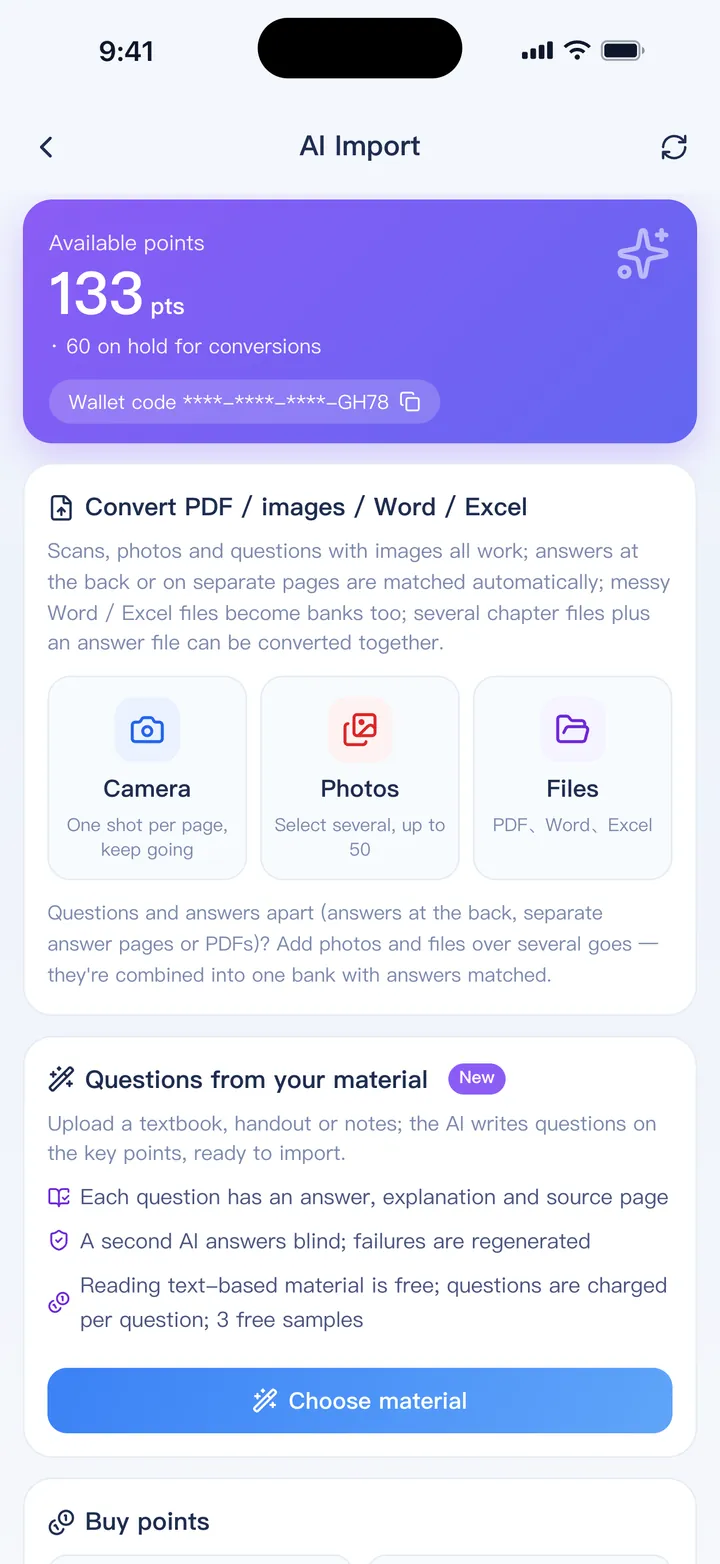
From photo to question bank
Take or choose photos
One page per photo. Take them in the app or pick up to 50 from your library. Scanned PDFs work too.
See the price first
You get a quote per page before anything is charged. Pages with no questions are refunded.
AI reads the pages
It separates questions, options, answers and explanations, and matches answer keys printed elsewhere.
Check the report and import
Anything uncertain is listed so you can check it against the original, then import.
What AI Import handles
- Printed exam papers, worksheets and textbook pages
- Answer keys on a separate page or at the back of the book
- Figures and diagrams cropped and attached to the right question
- Math formulas recognized as editable formulas
- Several files at once, mixing photos, PDFs and Word documents
- Screenshots of online tests, including which option was selected
- English, Traditional and Simplified Chinese papers
AI Import uses points bought in the app, and works in the free version too. Your files are deleted after 7 days and results after 30 days.
FAQ
How accurate is it?
Clear photos of printed pages work very well, but no recognition is perfect. A report lists anything uncertain, and every question can be edited before import.
Can it read handwriting?
Printed text gives the best results. Neat handwriting is often readable, but check it carefully.
What makes a good photo?
Flat page, good light, the whole page in frame and one page per photo. Avoid shadows and strong angles.
My PDF has selectable text. Do I need this?
No. Text PDFs import directly without using points.
Bring your questions. Start practicing today.
Free to download for iPhone, iPad and Android.
Coming soon